 Benji
Benji💧 Hydration
Log, track, and share hydration progress the way you actually drink
✨ What It Does
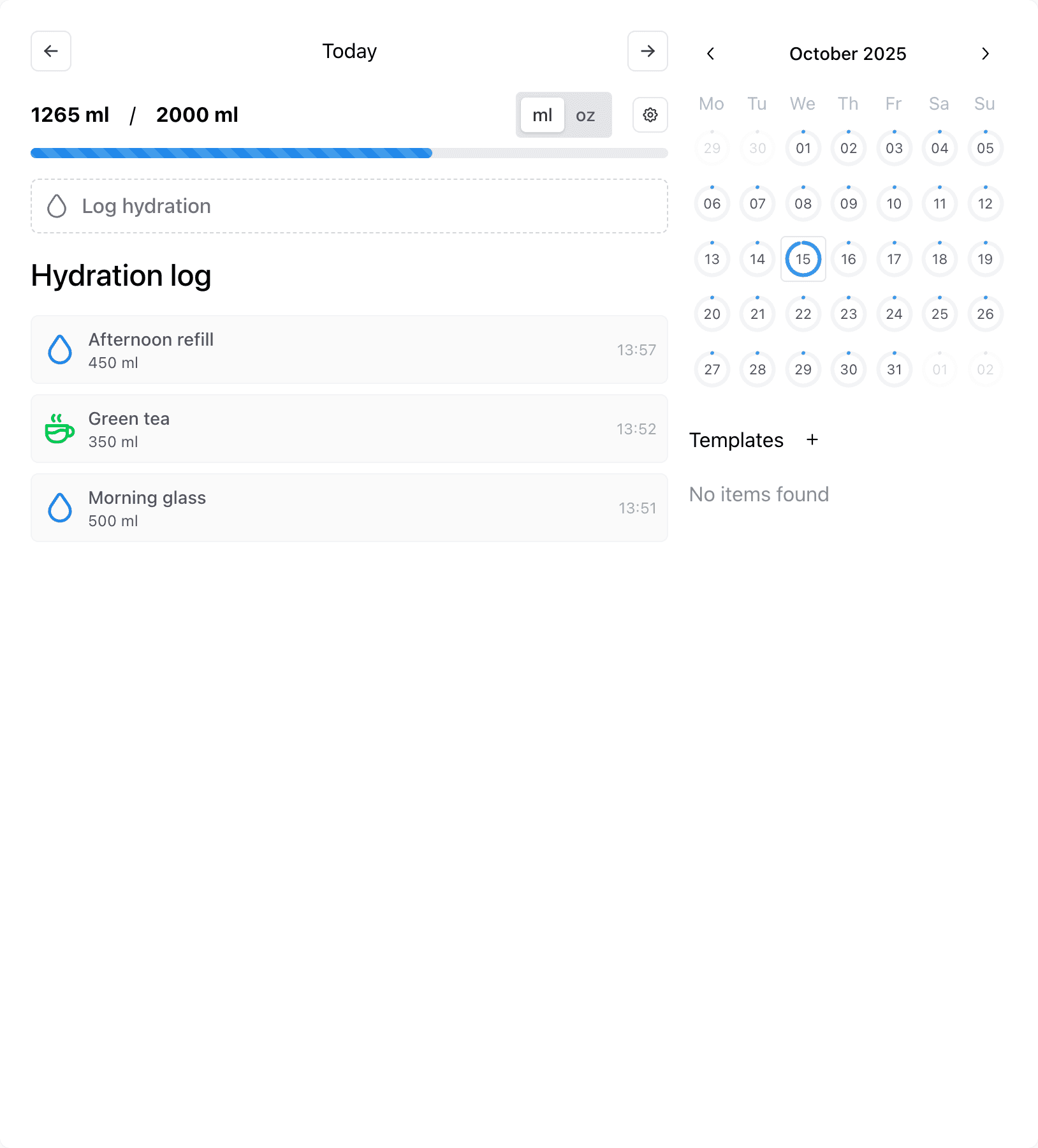
Hydration keeps you honest about how much water you’re really drinking. Pop in each glass or bottle during the day and watch your goal fill up, so the “did I drink enough?” question is answered before the afternoon headache hits.
🚪 Access & Activation
Enable Hydration from Settings → Features → Hydration. See the Enabling Features guide for details on feature toggles and visibility options.
🧭 Core Workflow
- Add entries from the hydration page, the home widget, or Alfred. Alfred surfaces your saved templates so you can log a bottle without leaving the keyboard.
- Each entry stores the amount, beverage type, optional note, and whether it should count toward today's goal.
- Coffee and tea automatically contribute 90% of their volume toward the goal. The form flags this the first time you pick those types so you understand the adjustment.
- Use the multi-select header to bulk delete or edit when you're catching up on a day's worth of logs.
🛠️ In-Feature Settings
- Build templates with a name, amount, type, and whether they count toward the goal. They live in the sidebar next to your daily stats.
- Selecting a template opens the logging modal prefilled with those values and the right unit, with the timestamp snapped to the day you're viewing.
- Manage hydration goals from the settings popover. Add as many goal entries as you like; the start date defines when a new target takes over, so older goals remain attached to their original periods. When no custom goal exists, Benji defaults to 2000 ml.
- Switch between milliliters and ounces at the top of the page. Benji converts everything under the hood, so historic totals and goals remain accurate.
- Date filters respect your current timezone, and you can group the log list by beverage type or by day from the toolbar for quick audits.
🔐 Global Settings & Privacy
- Goal completions can auto-post to the timeline, and the audience is controlled by
Settings → Privacy → Hydration(defaultPrivate). - Feature toggles, widget visibility, and template/goal management all live inside
Settings → Features → Hydration.
📊 Widgets & Dashboards
- Home dashboard: Go to
Settings → Features → Hydrationand enable Show a home widget to pin the hydration ring to your dashboard. - Summary page: Use the
Show hydrationtoggle in the summary sidebar to display the hydration ring beside your other metrics. - My Day: The hydration widget in My Day mirrors your goal progress and updates automatically whenever you log a drink.
⚡ Alfred & Quick Actions
Learn more about Alfred in the Alfred & Spotlight guide.
- Log hydration: opens the hydration logging form
- Saved templates appear as quick actions—type the template name to log instantly
⌨️ Keyboard Shortcuts
Cmd/Ctrl + K: open Alfred to access Hydration commands
🏆 Timeline & Points
- Once your weighted intake meets the active goal, Benji creates a single "completed hydration goal" post per day, inheriting the Hydration privacy setting.
- Every hydration log contributes 2 points to the leaderboard (
Hydration login the point system); deleting the entry removes the points and any matching post.
🔗 Integrations & Dependencies
- Progress surfaces across Benji: the hydration page, My Day widget, Summary page ring, and calendar overview all pull from the same goals and logs.
- Unit conversions and timezone-aware filters ensure planner stats, exports, and timeline posts reflect your current locale without manual edits.
- Templates and quick actions share storage with Alfred and widgets, so keep those services healthy when troubleshooting missing entries.
💡 Tips & Edge Cases
- Use the
Counts toward goaltoggle when you're logging something that shouldn't hit the daily total—perfect for celebratory drinks or supplements. - Pair templates with Alfred if you rely on repetitive drinks (e.g., "Morning coffee 250 ml") and want to log them without touching the mouse.
- To pin the hydration widget to your home dashboard, open
Settings → Features → Hydrationand enable Show a home widget.